 3e09503ba6
* Bug has been fixed: impossible to lock/occlude object in AAM * Bug has been fixed: invisible points actually are visible * Bug has been fixed: impossible to close points after editing (#98) * doc: grammatical cleanup of README.md (#107) * Add info about development environment into CONTRIBUTING.md (#110) * Now we store virtual URL instead of update it in the browser address bar (#112) * Copy URL, Frame URL and object URL functionality in a context menu * Bug has been fixed: label UIs don't update after changelabel (#109) * Common escape button for exit from creating/groupping/merging/pasting/aam * Switch outside/keyframe shortkeys * Fix django vulnerability (#121) * Add analytics component (#118) * Incremental save of annotations (#120) * Create task timeout 1h -> 4h. (#136) * OpenVino integration (#134) * Update README.md (#138) * Add an extra field into meta section of a dump file (#149) * Job status was implemented (#153) * Back link to task from annotation view (#156) * Change a task with labels and attributes in admin panel (#157) * Permissions per tasks and jobs (#185) * Fix context menu, text visibility for small images (#202) * Fixed: both context menu are opened simultaneously * Fixed: shape can be unavailable behind text * Fixed: invisible text outside frame * Fix upload big xml files for tasks (#199) * Add Questions section to Readme.md (#226) * Fixed labels order (#242) * Propagate behaviour has been updated in cases with a different resolution (#246) * Updated the guide and images (#241) * Fix number attribute for float numbers. (#258) |
8 years ago | |
|---|---|---|
| .vscode | 8 years ago | |
| components | 8 years ago | |
| cvat | 8 years ago | |
| tests | 8 years ago | |
| utils | 8 years ago | |
| .dockerignore | 8 years ago | |
| .gitattributes | 8 years ago | |
| .gitignore | 8 years ago | |
| CHANGELOG.md | 8 years ago | |
| CONTRIBUTING.md | 8 years ago | |
| CONTRIBUTORS.md | 8 years ago | |
| Dockerfile | 8 years ago | |
| LICENSE | 8 years ago | |
| README.md | 8 years ago | |
| docker-compose.yml | 8 years ago | |
| manage.py | 8 years ago | |
| mod_wsgi.conf | 8 years ago | |
| supervisord.conf | 8 years ago | |
| wait-for-it.sh | 8 years ago | |
README.md
Computer Vision Annotation Tool (CVAT)

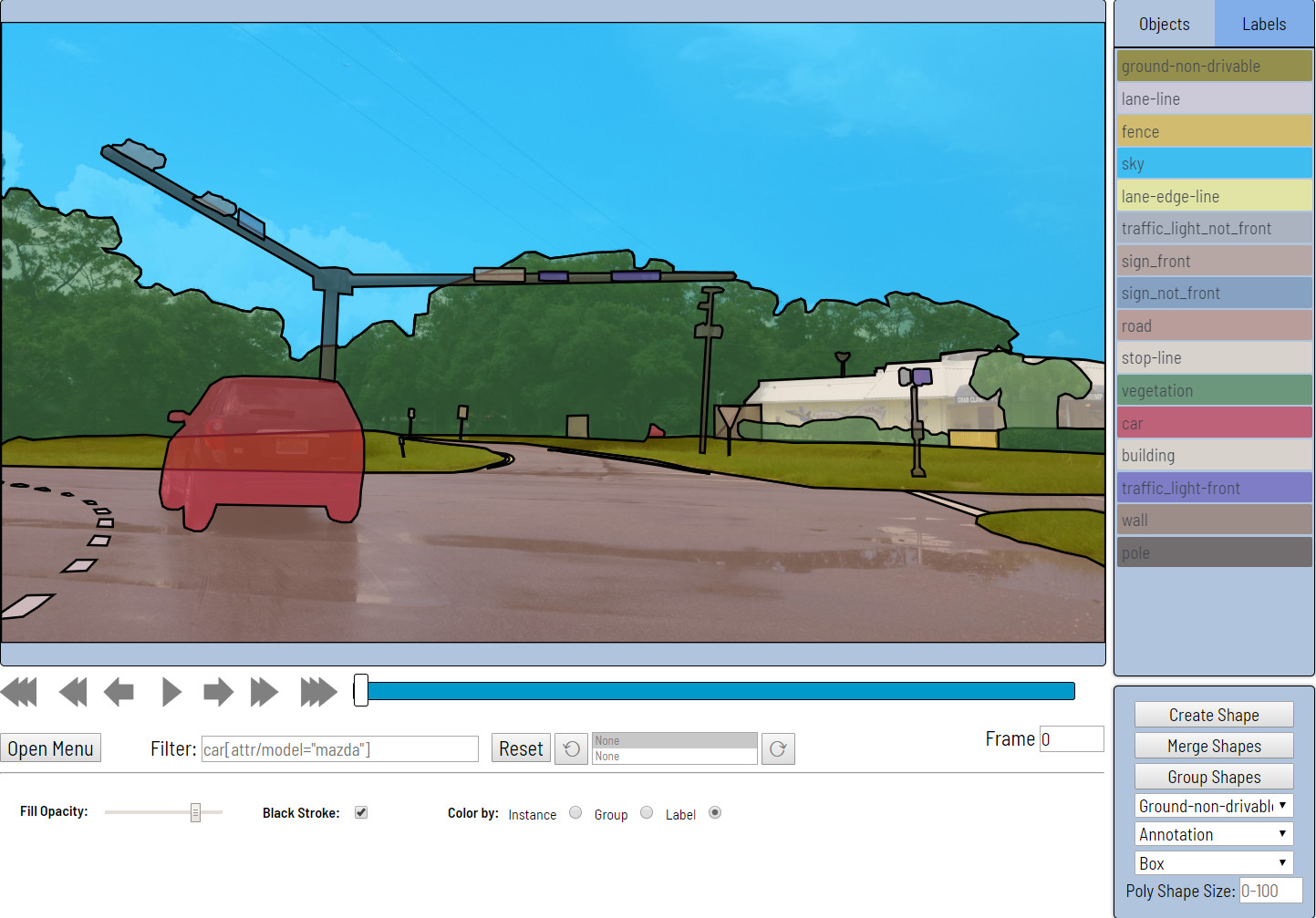
CVAT is completely re-designed and re-implemented version of Video Annotation Tool from Irvine, California tool. It is free, online, interactive video and image annotation tool for computer vision. It is being used by our team to annotate million of objects with different properties. Many UI and UX decisions are based on feedbacks from professional data annotation team.
Documentation
Screencasts
LICENSE
Code released under the MIT License.
INSTALLATION
The instructions below should work for Ubuntu 16.04. It will probably work on other Operating Systems such as Windows and macOS, but may require minor modifications.
Install Docker CE or Docker EE from official site
Please read official manual here.
Install docker-compose (1.19.0 or newer)
sudo pip install docker-compose
Build docker images
To build all necessary docker images run docker-compose build command. By default, in production mode the tool uses PostgreSQL as database, Redis for caching.
Run docker containers
To start default container run docker-compose up -d command. Go to localhost:8080. You should see a login page.
You can include any additional components. Just add corresponding docker-compose file to build or run command:
# Build image with CUDA and OpenVINO support
docker-compose -f docker-compose.yml -f components/cuda/docker-compose.cuda.yml -f components/openvino/docker-compose.openvino.yml build

# Run containers with CUDA and OpenVINO support
docker-compose -f docker-compose.yml -f components/cuda/docker-compose.cuda.yml -f components/openvino/docker-compose.openvino.yml up -d
For details please see components section.
Create superuser account
You can register a user but by default it will not have rights even to view list of tasks. Thus you should create a superuser. The superuser can use admin panel to assign correct groups to the user. Please use the command below:
docker exec -it cvat bash -ic '/usr/bin/python3 ~/manage.py createsuperuser'
Type your login/password for the superuser on the login page and press Login button. Now you should be able to create a new annotation task. Please read documentation for more details.
Stop all containers
The command below will stop and remove containers, networks, volumes, and images
created by up.
docker-compose down
Advanced settings
If you want to access you instance of CVAT outside of your localhost you should specify ALLOWED_HOSTS environment variable. The best way to do that is to create docker-compose.override.yml and put all your extra settings here.
version: "2.3"

services:
  cvat:
    environment:
      ALLOWED_HOSTS: .example.com
    ports:
      - "80:8080"
Annotation logs
It is possible to proxy annotation logs from client to ELK. To do that run the following command below:
docker-compose -f docker-compose.yml -f components/analytics/docker-compose.analytics.yml up -d --build
Share path
You can use a share storage for data uploading during you are creating a task. To do that you can mount it to CVAT docker container. Example of docker-compose.override.yml for this purpose:
version: "2.3"

services:
  cvat:
    environment:
      CVAT_SHARE_URL: "Mounted from /mnt/share host directory"
    volumes:
      - cvat_share:/home/django/share:ro

volumes:
  cvat_share:
    driver_opts:
      type: none
      device: /mnt/share
      o: bind
You can change the share device path to your actual share. For user convenience we have defined the enviroment variable $CVAT_SHARE_URL. This variable contains a text (url for example) which will be being shown in the client-share browser.
Questions
CVAT usage related questions or unclear concepts can be posted in our Gitter chat for quick replies from contributors and other users.
However, if you have a feature request or a bug report that can reproduced, feel free to open an issue (with steps to reproduce the bug if it's a bug report).
If you are not sure or just want to browse other users common questions, Gitter chat is the way to go.