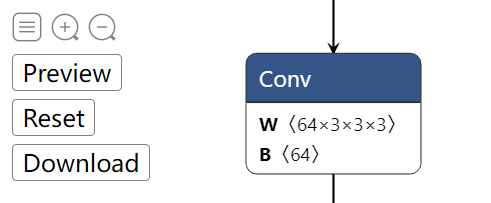
 top left buttons (Graph-level-operations)
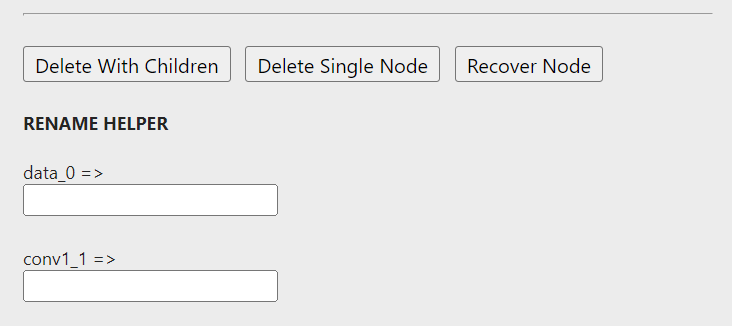 sidebar buttons (Node-level-operations)
 English | [简体中文](readme_zh-CN.md)
# Introduction
To edit an ONNX model, One common way is to visualize the model graph, and edit it using ONNX Python API. This works fine. However, we have to code to edit, then visualize to check. The two processes may iterate for many times, which is time-consuming. 👋
What if we have a tool, which allow us to **edit and preview the editing effect in a totally visualization fashion**?
Then `onnx-modifier` comes. With it, we can focus on editing the model graph in the visualization pannel. All the editing information will be summarized and processed by Python ONNX API automatically at last. Then our time can be saved! 🚀
`onnx-modifier` is built based on the popular network viewer [Netron](https://github.com/lutzroeder/netron) and the lightweight web application framework [flask](https://github.com/pallets/flask).
The update log of `onnx-modifier` can be seen [here](./docs/update_log.md). Currently, the following editing operations are supported:
- Delete/recover nodes
- Delete a single node.
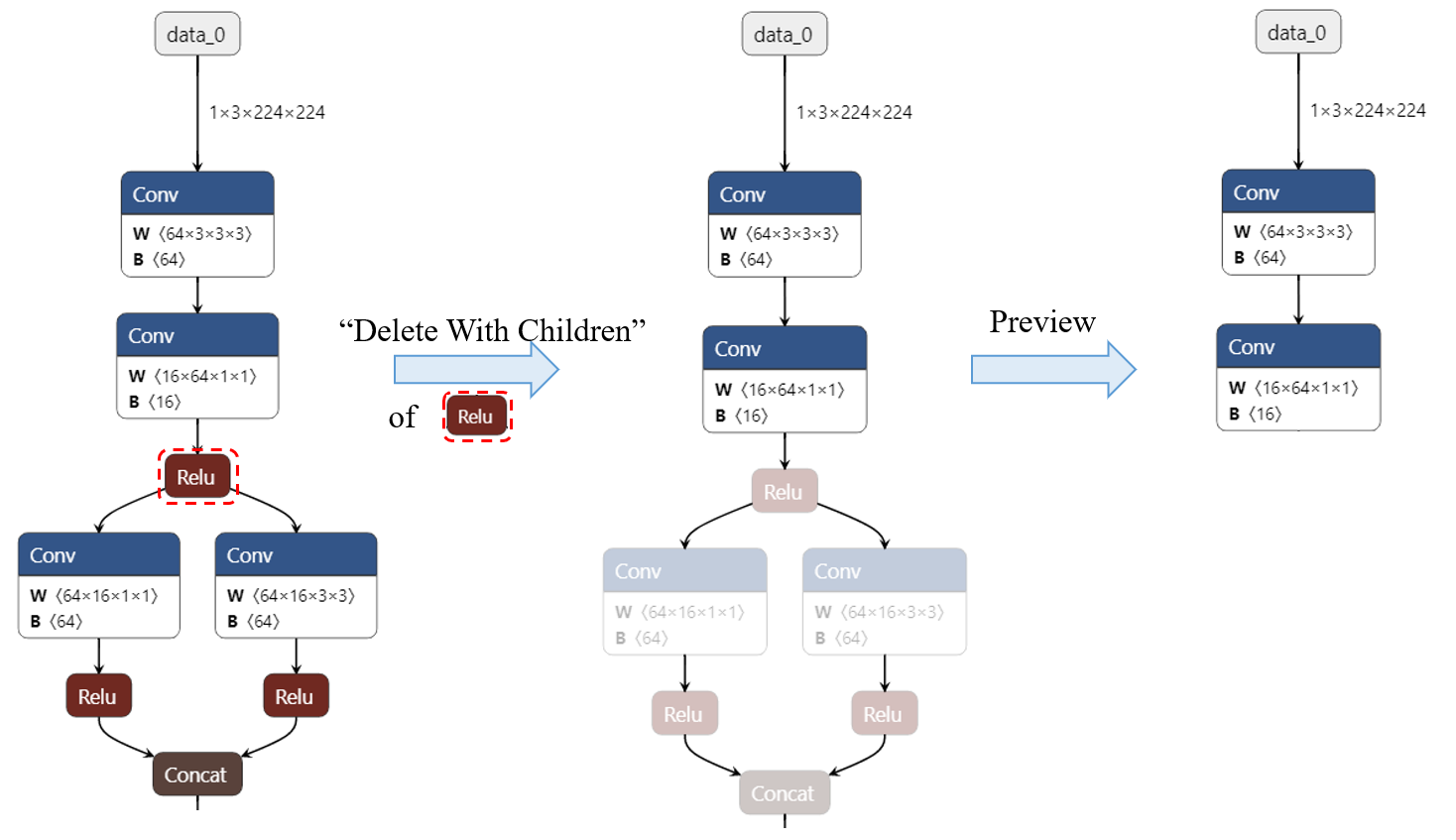
- Delete a node and all the nodes rooted on it.
- Recover a deleted node.
- Rename the name of node inputs/outputs
- Add new nodes (experimental)
Hope it helps!
# Getting started
Clone the repo and install the required Python packages by
```bash
git clone git@github.com:ZhangGe6/onnx-modifier.git
cd onnx-modifier
pip install onnx
pip install flask
```
Then run
```bash
python app.py
```
Click the url in the output info generated by flask (`http://127.0.0.1:5000/` for example), then `onnx-modifier` will be launched in the web browser.
Click `Open Model...` to upload the ONNX model to edit. The model will be parsed and shown on the page.
# Usage
English | [简体中文](readme_zh-CN.md)
# Introduction
To edit an ONNX model, One common way is to visualize the model graph, and edit it using ONNX Python API. This works fine. However, we have to code to edit, then visualize to check. The two processes may iterate for many times, which is time-consuming. 👋
What if we have a tool, which allow us to **edit and preview the editing effect in a totally visualization fashion**?
Then `onnx-modifier` comes. With it, we can focus on editing the model graph in the visualization pannel. All the editing information will be summarized and processed by Python ONNX API automatically at last. Then our time can be saved! 🚀
`onnx-modifier` is built based on the popular network viewer [Netron](https://github.com/lutzroeder/netron) and the lightweight web application framework [flask](https://github.com/pallets/flask).
The update log of `onnx-modifier` can be seen [here](./docs/update_log.md). Currently, the following editing operations are supported:
- Delete/recover nodes
- Delete a single node.
- Delete a node and all the nodes rooted on it.
- Recover a deleted node.
- Rename the name of node inputs/outputs
- Add new nodes (experimental)
Hope it helps!
# Getting started
Clone the repo and install the required Python packages by
```bash
git clone git@github.com:ZhangGe6/onnx-modifier.git
cd onnx-modifier
pip install onnx
pip install flask
```
Then run
```bash
python app.py
```
Click the url in the output info generated by flask (`http://127.0.0.1:5000/` for example), then `onnx-modifier` will be launched in the web browser.
Click `Open Model...` to upload the ONNX model to edit. The model will be parsed and shown on the page.
# Usage
| top left buttons (Graph-level-operations) |
sidebar buttons (Node-level-operations) |
 ## Rename the name of node inputs/outputs
By changing the input/output name of nodes, we can change the model forward path. It can also be helpful if we want to rename the model output(s).
Using `onnx-modifier`, we can achieve this by simply enter a new name for node inputs/outputs in its corresponding input placeholder. The graph topology is updated automatically and instantly, according to the new names.
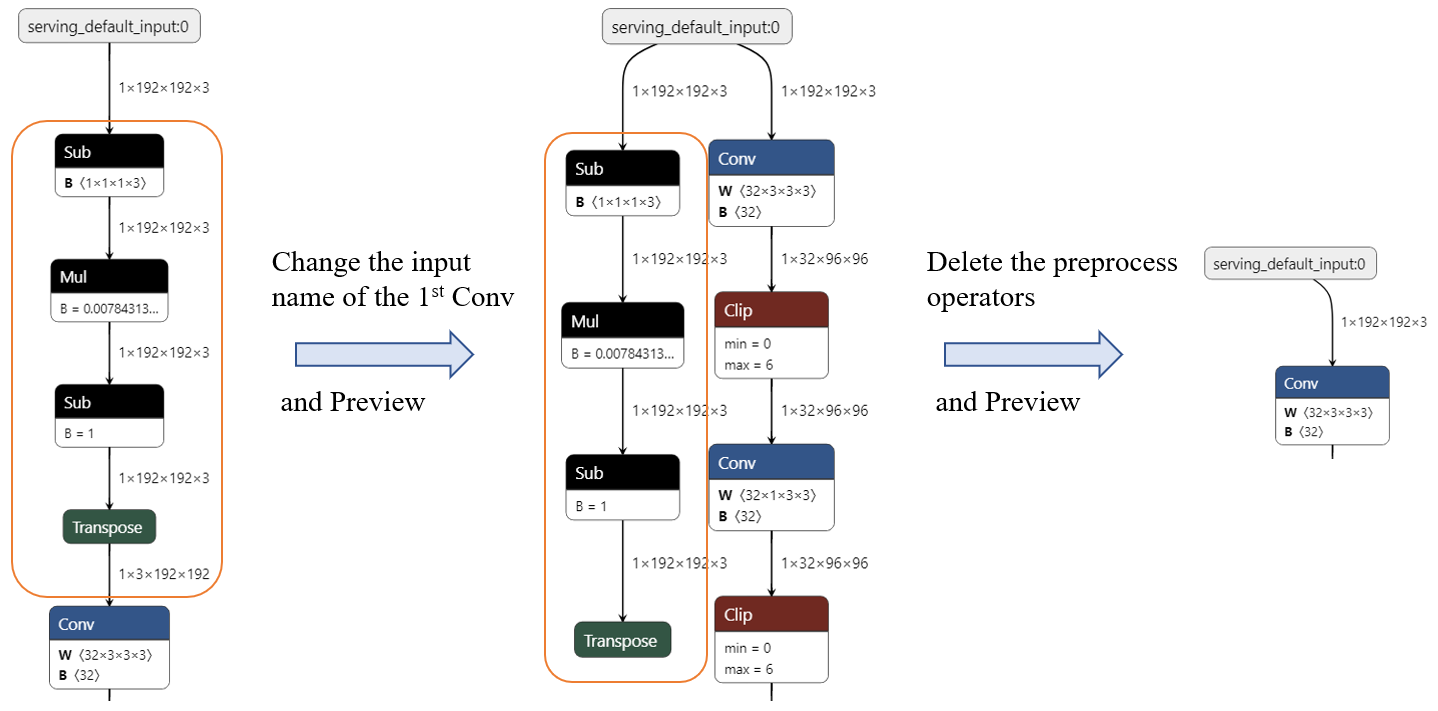
For example, Now we want remove the preprocess operators (`Sub->Mul->Sub->Transpose`) shown in the following figure. We can
1. Click on the 1st `Conv` node, rename its input (X) as *serving_default_input:0* (the output of node `data_0`).
2. The model graph is updated automatically and we can see the input node links to the 1st `Conv`directly. In addition, the preprocess operators have been split from the main routine. Delete them.
3. We are done! (click `Download`, then we can get the modified ONNX model).
> Note: To link node $A$ (`data_0` in the above example) to node $B$ (the 1st `Conv` in the above example), **it is suggested to edit the input of node $B$ to the output of node `A`, rather than edit the output of node $A$ to the input of node `B`.** Because the input of $B$ can also be other node's output and unexpected result will happen.
## Rename the name of node inputs/outputs
By changing the input/output name of nodes, we can change the model forward path. It can also be helpful if we want to rename the model output(s).
Using `onnx-modifier`, we can achieve this by simply enter a new name for node inputs/outputs in its corresponding input placeholder. The graph topology is updated automatically and instantly, according to the new names.
For example, Now we want remove the preprocess operators (`Sub->Mul->Sub->Transpose`) shown in the following figure. We can
1. Click on the 1st `Conv` node, rename its input (X) as *serving_default_input:0* (the output of node `data_0`).
2. The model graph is updated automatically and we can see the input node links to the 1st `Conv`directly. In addition, the preprocess operators have been split from the main routine. Delete them.
3. We are done! (click `Download`, then we can get the modified ONNX model).
> Note: To link node $A$ (`data_0` in the above example) to node $B$ (the 1st `Conv` in the above example), **it is suggested to edit the input of node $B$ to the output of node `A`, rather than edit the output of node $A$ to the input of node `B`.** Because the input of $B$ can also be other node's output and unexpected result will happen.
 ## Add new node
Sometimes we want to add new nodes into the exsited model. `onnx-modifier` supports this feature experimentally now.
Note there is an `Add node` button, following with a selector elements on the top-left of the index page. To do this, what we need to do is as easy as 3 steps:
1. Choose a node type in the selector, and click `Add node` button. Then an empty node of the chosen type will emerge on the graph.
2. Click the new node and edit it in the invoked siderbar. What we need to fill are the node Attributes (`undefined` by default) and its Inputs/Outputs (which decide where the node will be inserted in the graph).
3. We are done.
The following are some notes for this feature:
1. :warning: Currently, adding nodes with initializer (such as weight parameters) are not supported (such as `Conv`, `BatchNormalization`). Adding nodes without initializer are tested and work as expected in my tested case (such as `Flatten`, `ArgMax`, `Concat`).
2. Click the selector and type the first letter for the new node type (`f` for `Flatten` node for example), we can be quickly navigated to the node type.
3. By clicking the `?` in the `NODE PROPERTIES -> type` element, or the `+` in each `Attribute` element, we can get some reference to help us fill the node information.
4. It is suggested to fill all of the `Attribute`, without leaving them as `undefined`. The default value may not be supported well in the current version.
5. For the `Attribute` with type `list`, items are split with '`,`' (comma)
6. For the `Inputs/Outputs` with type `list`, it is forced to be at most 8 elements in the current version. If the actual inputs/outputs number is less than 8, we can leave the unused items with the name starting with `list_custom`, and they will be automatically omitted.
7. This feature is experimentally supported now and may be not very rebust. So any issues are warmly welcomed if some unexpected result is encountered.
# Sample models
For quick testing, some typical sample models are provided as following. Most of them are from [onnx model zoo](https://github.com/onnx/models)
- squeezeNet [Link (4.72MB)](https://github.com/onnx/models/blob/main/vision/classification/squeezenet/model/squeezenet1.0-12.onnx)
- MobileNet [Link (13.3MB)](https://github.com/onnx/models/blob/main/vision/classification/mobilenet/model/mobilenetv2-7.onnx)
- ResNet50-int8 [Link (24.6MB)](https://github.com/onnx/models/blob/main/vision/classification/resnet/model/resnet50-v1-12-int8.onnx)
- movenet-lightning [Link (9.01MB)](https://pan.baidu.com/s/1MVheshDu58o4AAgoR9awRQ?pwd=jub9)
- Converted from the pretrained [tflite model](https://tfhub.dev/google/movenet/singlepose/lightning/4) using [tensorflow-onnx](https://github.com/onnx/tensorflow-onnx);
- There are preprocess nodes and a big bunch of postprocessing nodes in the model.
`onnx-modifier` is under active development 🛠. Welcome to use, create issues and pull requests! 🥰
# Credits and referred materials
- [Netron](https://github.com/lutzroeder/netron)
- [flask](https://github.com/pallets/flask)
- ONNX IR [Official doc](https://github.com/onnx/onnx/blob/main/docs/IR.md)
- ONNX Python API [Official doc](https://github.com/onnx/onnx/blob/main/docs/PythonAPIOverview.md), [Leimao's Blog](https://leimao.github.io/blog/ONNX-Python-API/)
- ONNX IO Stream [Leimao's Blog](https://leimao.github.io/blog/ONNX-IO-Stream/)
- [onnx-utils](https://github.com/saurabh-shandilya/onnx-utils)
- [sweetalert](https://github.com/t4t5/sweetalert)
## Add new node
Sometimes we want to add new nodes into the exsited model. `onnx-modifier` supports this feature experimentally now.
Note there is an `Add node` button, following with a selector elements on the top-left of the index page. To do this, what we need to do is as easy as 3 steps:
1. Choose a node type in the selector, and click `Add node` button. Then an empty node of the chosen type will emerge on the graph.
2. Click the new node and edit it in the invoked siderbar. What we need to fill are the node Attributes (`undefined` by default) and its Inputs/Outputs (which decide where the node will be inserted in the graph).
3. We are done.
The following are some notes for this feature:
1. :warning: Currently, adding nodes with initializer (such as weight parameters) are not supported (such as `Conv`, `BatchNormalization`). Adding nodes without initializer are tested and work as expected in my tested case (such as `Flatten`, `ArgMax`, `Concat`).
2. Click the selector and type the first letter for the new node type (`f` for `Flatten` node for example), we can be quickly navigated to the node type.
3. By clicking the `?` in the `NODE PROPERTIES -> type` element, or the `+` in each `Attribute` element, we can get some reference to help us fill the node information.
4. It is suggested to fill all of the `Attribute`, without leaving them as `undefined`. The default value may not be supported well in the current version.
5. For the `Attribute` with type `list`, items are split with '`,`' (comma)
6. For the `Inputs/Outputs` with type `list`, it is forced to be at most 8 elements in the current version. If the actual inputs/outputs number is less than 8, we can leave the unused items with the name starting with `list_custom`, and they will be automatically omitted.
7. This feature is experimentally supported now and may be not very rebust. So any issues are warmly welcomed if some unexpected result is encountered.
# Sample models
For quick testing, some typical sample models are provided as following. Most of them are from [onnx model zoo](https://github.com/onnx/models)
- squeezeNet [Link (4.72MB)](https://github.com/onnx/models/blob/main/vision/classification/squeezenet/model/squeezenet1.0-12.onnx)
- MobileNet [Link (13.3MB)](https://github.com/onnx/models/blob/main/vision/classification/mobilenet/model/mobilenetv2-7.onnx)
- ResNet50-int8 [Link (24.6MB)](https://github.com/onnx/models/blob/main/vision/classification/resnet/model/resnet50-v1-12-int8.onnx)
- movenet-lightning [Link (9.01MB)](https://pan.baidu.com/s/1MVheshDu58o4AAgoR9awRQ?pwd=jub9)
- Converted from the pretrained [tflite model](https://tfhub.dev/google/movenet/singlepose/lightning/4) using [tensorflow-onnx](https://github.com/onnx/tensorflow-onnx);
- There are preprocess nodes and a big bunch of postprocessing nodes in the model.
`onnx-modifier` is under active development 🛠. Welcome to use, create issues and pull requests! 🥰
# Credits and referred materials
- [Netron](https://github.com/lutzroeder/netron)
- [flask](https://github.com/pallets/flask)
- ONNX IR [Official doc](https://github.com/onnx/onnx/blob/main/docs/IR.md)
- ONNX Python API [Official doc](https://github.com/onnx/onnx/blob/main/docs/PythonAPIOverview.md), [Leimao's Blog](https://leimao.github.io/blog/ONNX-Python-API/)
- ONNX IO Stream [Leimao's Blog](https://leimao.github.io/blog/ONNX-IO-Stream/)
- [onnx-utils](https://github.com/saurabh-shandilya/onnx-utils)
- [sweetalert](https://github.com/t4t5/sweetalert)