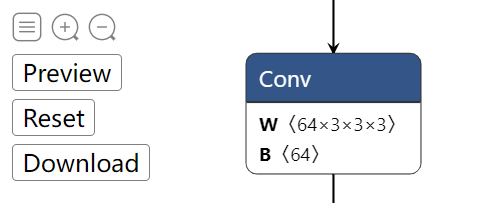
 top left buttons (Graph-level-operations)
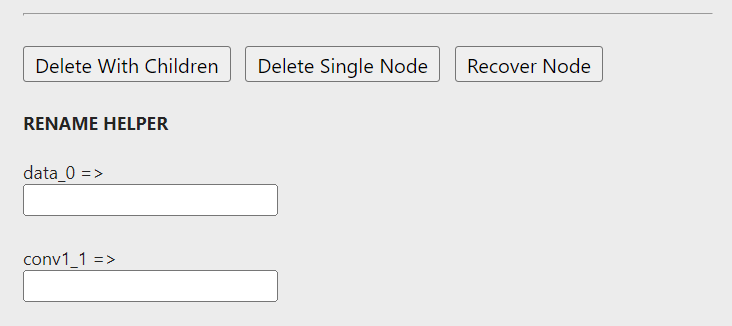 sidebar buttons (Node-level-operations)
 # Introduction
To edit an ONNX model, One common way is to visualize the model graph, and edit it using ONNX Python API. This works fine. However, we have to code to edit, then visualize to check. The two processes may iterate for many times, which is time-consuming. :wave:
What if we have a tool, which allow us **edit and preview the editing effect in a totally visualization fashion**?
Then `onnx-modifier` comes. With it, we can focus on editing the model graph in the visualization pannel. All the editing information will be summarized and processed by Python ONNX automatically at last. Then our time can be saved! :rocket:
`onnx-modifier` is built based on the popular network viewer [Netron](https://github.com/lutzroeder/netron) and the lightweight web application framework [flask](https://github.com/pallets/flask).
Currently, the following editing operations are supported:
- Delete a single node.
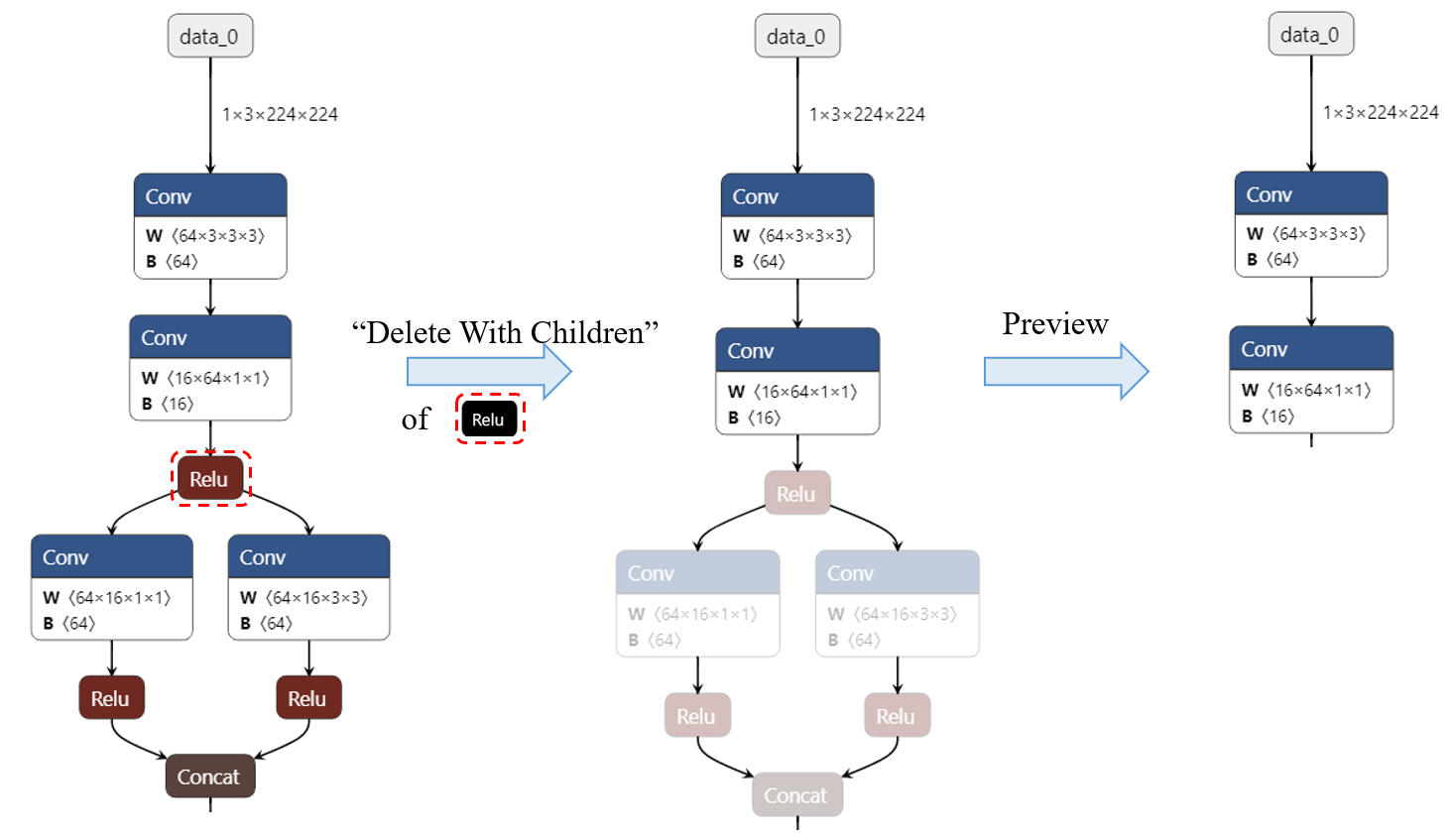
- Delete a node and all the nodes rooted with it.
- Recover a deleted node.
- Rename the input/output name.
Hope it helps!
# Get started
Install the require Python packages by
```bash
pip install onnx
pip install flask
```
Then run
```bash
python app.py
```
Click the url in the output info generated by flask (`http://127.0.0.1:5000/` for example), then `onnx-modifier` will be launched in the web browser.
Click `Open Model...` to upload the onnx model to edit. The model will be parsed and show on the page.
# Edit
# Introduction
To edit an ONNX model, One common way is to visualize the model graph, and edit it using ONNX Python API. This works fine. However, we have to code to edit, then visualize to check. The two processes may iterate for many times, which is time-consuming. :wave:
What if we have a tool, which allow us **edit and preview the editing effect in a totally visualization fashion**?
Then `onnx-modifier` comes. With it, we can focus on editing the model graph in the visualization pannel. All the editing information will be summarized and processed by Python ONNX automatically at last. Then our time can be saved! :rocket:
`onnx-modifier` is built based on the popular network viewer [Netron](https://github.com/lutzroeder/netron) and the lightweight web application framework [flask](https://github.com/pallets/flask).
Currently, the following editing operations are supported:
- Delete a single node.
- Delete a node and all the nodes rooted with it.
- Recover a deleted node.
- Rename the input/output name.
Hope it helps!
# Get started
Install the require Python packages by
```bash
pip install onnx
pip install flask
```
Then run
```bash
python app.py
```
Click the url in the output info generated by flask (`http://127.0.0.1:5000/` for example), then `onnx-modifier` will be launched in the web browser.
Click `Open Model...` to upload the onnx model to edit. The model will be parsed and show on the page.
# Edit
| top left buttons (Graph-level-operations) |
sidebar buttons (Node-level-operations) |
 ## Recover node
By `Recover Node` button, we can recover the node back to graph after deleting it.
## Change the input/output name of node
By changing the input/output name of nodes, we can change the model forward routine. It can also be helpful if we want to rename the model output(s).
How can we do this using `onnx-modifier`? Note that there is a `RENAME HELPER` section in the node sidebar. All the original input and output name of a node is listed here, each following with a input field. we can input the new name here. After clicking the `Preview` button, the graph will be rendered with the new name (and a new model forward routine).
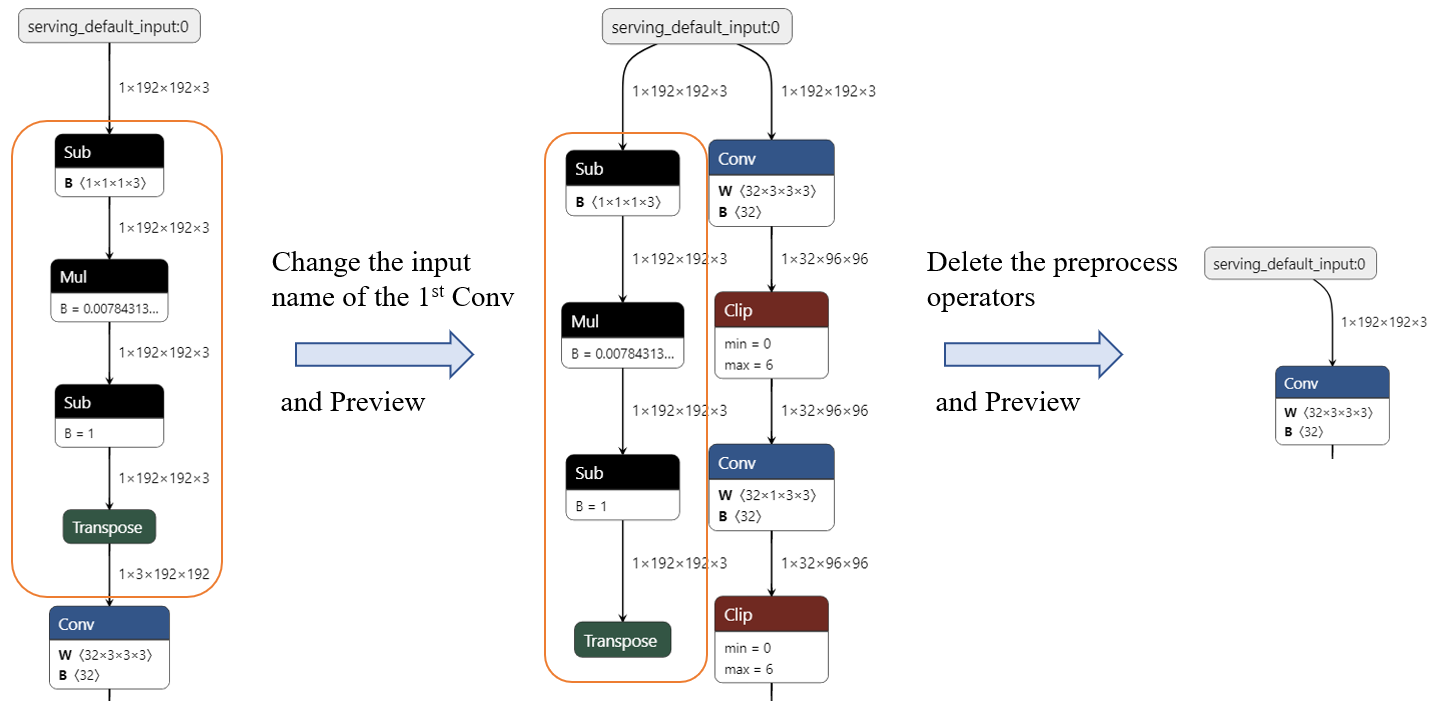
For example, Now we want remove the preprocess operators (`Sub->Mul->Sub->Transpose`) shown in the following figure. We can
1. click on the first `Conv` node, rename the original input name as *serving_default_input:0*.
2. delete the node between input node and the first `Conv`
3. click `Preview` to preview, then click `Download`, we can get the modified ONNX model.
## Recover node
By `Recover Node` button, we can recover the node back to graph after deleting it.
## Change the input/output name of node
By changing the input/output name of nodes, we can change the model forward routine. It can also be helpful if we want to rename the model output(s).
How can we do this using `onnx-modifier`? Note that there is a `RENAME HELPER` section in the node sidebar. All the original input and output name of a node is listed here, each following with a input field. we can input the new name here. After clicking the `Preview` button, the graph will be rendered with the new name (and a new model forward routine).
For example, Now we want remove the preprocess operators (`Sub->Mul->Sub->Transpose`) shown in the following figure. We can
1. click on the first `Conv` node, rename the original input name as *serving_default_input:0*.
2. delete the node between input node and the first `Conv`
3. click `Preview` to preview, then click `Download`, we can get the modified ONNX model.
 `onnx-modifier` is under active development :hammer_and_wrench:. Welcome to use, create issues and pull requests! 🥰
# Credits and referred materials
- ONNX Python API [Official](https://github.com/onnx/onnx/blob/main/docs/PythonAPIOverview.md) [Leimao's Blog](https://leimao.github.io/blog/ONNX-Python-API/)
- ONNX IO Stream [Leimao's Blog](https://leimao.github.io/blog/ONNX-IO-Stream/)
- [Netron](https://github.com/lutzroeder/netron)
- [onnx-utils](https://github.com/saurabh-shandilya/onnx-utils)
- [flask](https://github.com/pallets/flask)
`onnx-modifier` is under active development :hammer_and_wrench:. Welcome to use, create issues and pull requests! 🥰
# Credits and referred materials
- ONNX Python API [Official](https://github.com/onnx/onnx/blob/main/docs/PythonAPIOverview.md) [Leimao's Blog](https://leimao.github.io/blog/ONNX-Python-API/)
- ONNX IO Stream [Leimao's Blog](https://leimao.github.io/blog/ONNX-IO-Stream/)
- [Netron](https://github.com/lutzroeder/netron)
- [onnx-utils](https://github.com/saurabh-shandilya/onnx-utils)
- [flask](https://github.com/pallets/flask)